
That is exactly what Google announced in the emails it sent to users of the service. In this article and on our YouTube channel we try to work out whether this is good or bad and what to prepare for.
So, quite recently users of Google My Business started receiving emails like this:
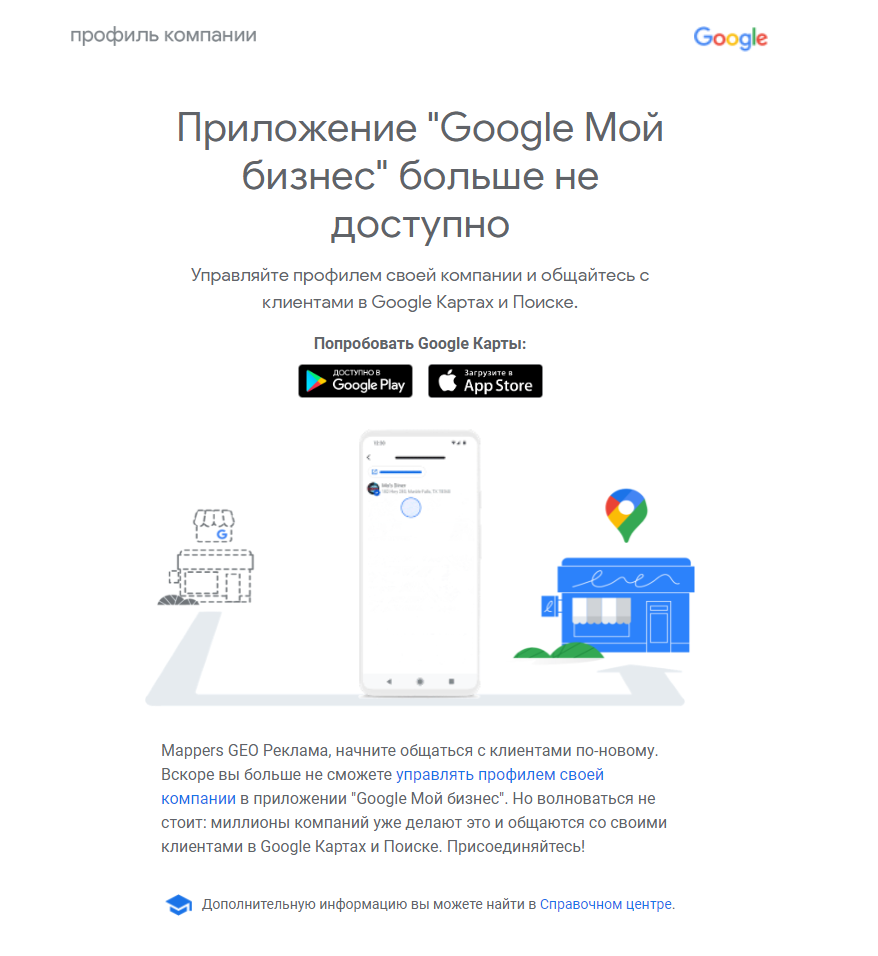
Google had already published material warning users about the upcoming changes (link to the translated article from the Google forums)
And now it has all but happened: we are losing our favourite app, at least it was ours. Honestly, our company does understand Google’s pursuit of simplicity and convenience, but does running a business not imply broader knowledge and a separation from ordinary map users?
Some rough edges remain in the new system, for instance its most important part for very many owners of Google Maps listings: Google business pages.
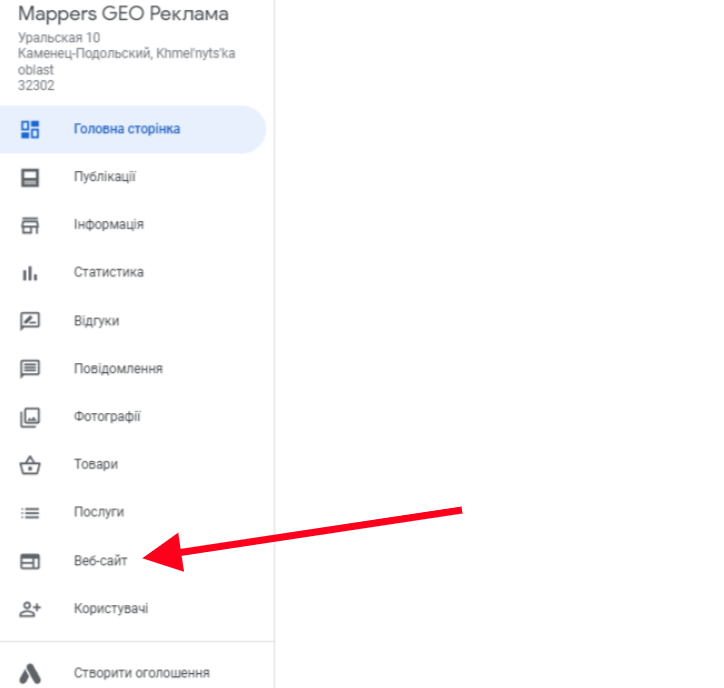
Right now almost 70% of small and medium businesses use these pages, which imitate a website. And the point is not that they cannot be promoted or edited, or that this is not a site at all but a simple landing page duplicating the map information. The proverbial shawarma kiosk got by with it. And what now? How do you create one? How do you edit it?
For now, you cannot.
By the way, if you are struggling to build a site on your own, we recommend Google Sites. It is a free solution where you can connect a domain and analytics and, lo and behold, write articles and even do SEO, and so promote your site at least somehow. There are perfectly good cases.
And now on to Google Business Profile.
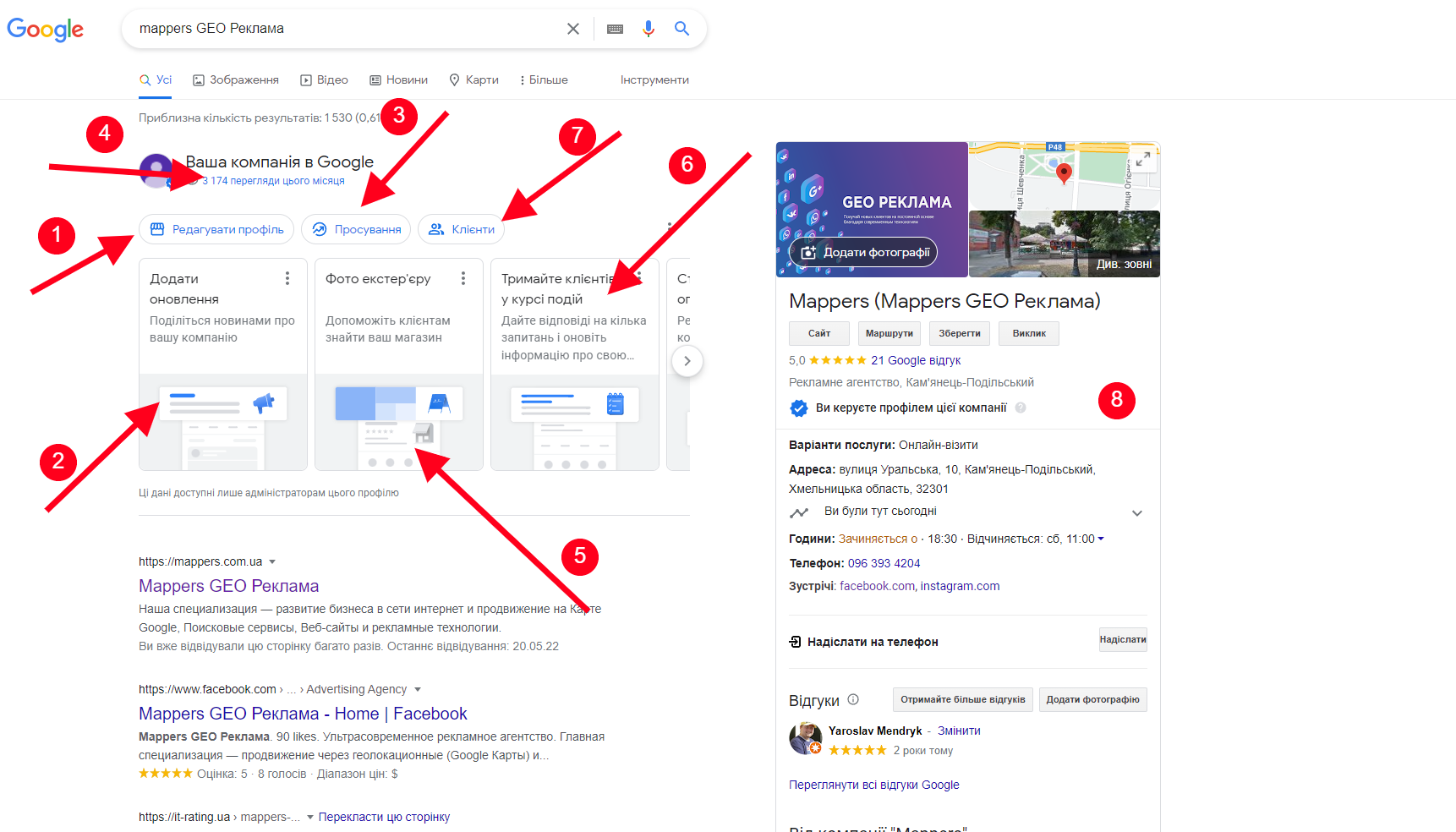
To find and edit your business now (if it is verified) you have to find it in Google Search, FROM THE SAME ACCOUNT THAT HAS THE RIGHTS, and right there you can change almost all the information that used to be in Google My Business:
- Edit profile → something like the “Info” tab → photos, services, products, opening hours, logo and cover, and business information
- Here you can add a post or news item
- Promotion → here you can look at statistics, set up a map ad (a smart campaign), add photos or get a link for reviews, and again add a post or an offer, promotion or event
- Quick access to statistics
- This panel imitates the top menu. Right now it is suggesting we update the photo of the outside of the building, presumably thinking it is outdated. Which is fair enough.
- It offers to mark the business as open, closed or temporarily closed, and then asks whether the business can be visited in person. A reminder: if a business only serves customers online, it will lose about 80% of its views and statistics, so I do not recommend setting that. Better to leave it unanswered.
- Working with reviews and messages → remember it is better to answer reviews evenly rather than all five hundred in one day, and to answer messages as quickly as possible. If you have no time, better keep that feature switched off.
The same functionality awaits us in the Google Maps app for smartphones. Search for your business → tap its name at the bottom, and under the business photos you can add or edit all the information you need.
The only thing is to be careful with photos. Remember it is better to add photos for your business as the business owner, through the business interface, rather than as a user.
“Edit profile” → Photos
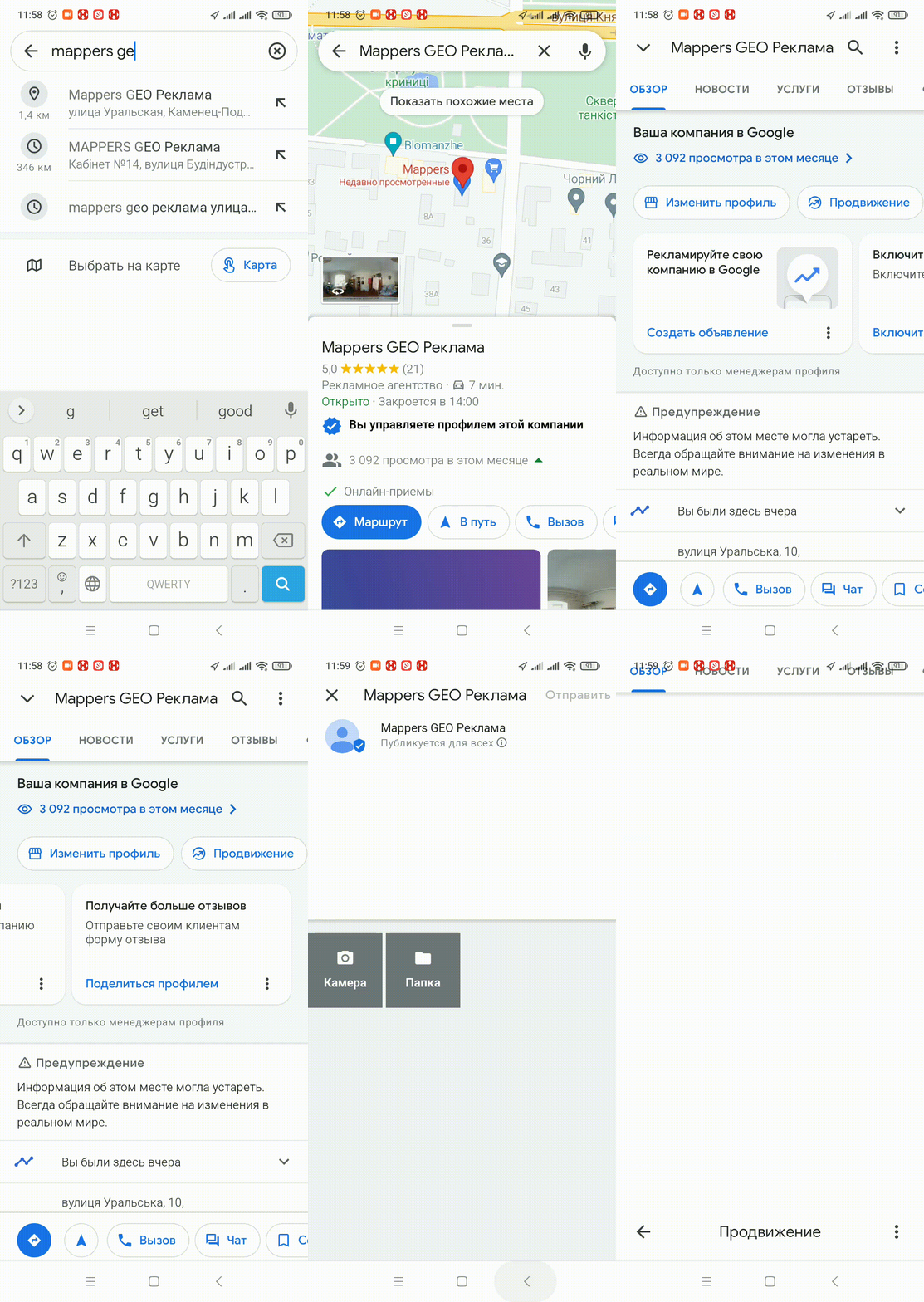
And, as always, an epic fail: we cannot add photos and split them into categories the way we could in GMB. Only the logo and the cover. It seems we are permanently losing the ability to add exterior, interior, work process and team photos.
Is that bad? Yes.
In our very first year of work we noticed that photos sorted into sections bring more views.
Conclusions:
The road to simplification does not always help promotion specialists. Companies like ours, narrowly specialised in promotion on Google Maps, already have limited and tricky tooling. The only comfort is that companies like ours, with 200+ businesses in the account, will be able to use the old interface for now. But for how long?
Essentially, change for the sake of change.
The video on this topic is, as always, on our YouTube channel, from now on in two languages: